Tools
Tools: find accounts, find and enrich contacts, check phones. No campaign needed.
Contact databases sell you rows from a static list. Records go stale from the day they are collected; ZoomInfo's own writing puts the loss at 22.5% to 70% of a database's accuracy every year, and every bounce costs you domain reputation. AvairAI's Tools work the other way. They search live and verify each contact's email and current employer at the moment you ask. Four tools, usable without creating a campaign: Find Accounts, Find Contacts, Enrich Contacts and Phone TCPA Check. Connected to over 300 data sources, including local government records and industry-specific databases, they are especially strong at finding local small businesses and the people who run them. They draw on one credit pool shared by your whole company, with 300 credits a month on Professional, 1,000 on Growth and 2,000 on Concierge, and they never touch your campaign capacity.
Find Accounts: the companies showing the pain you solve, right now
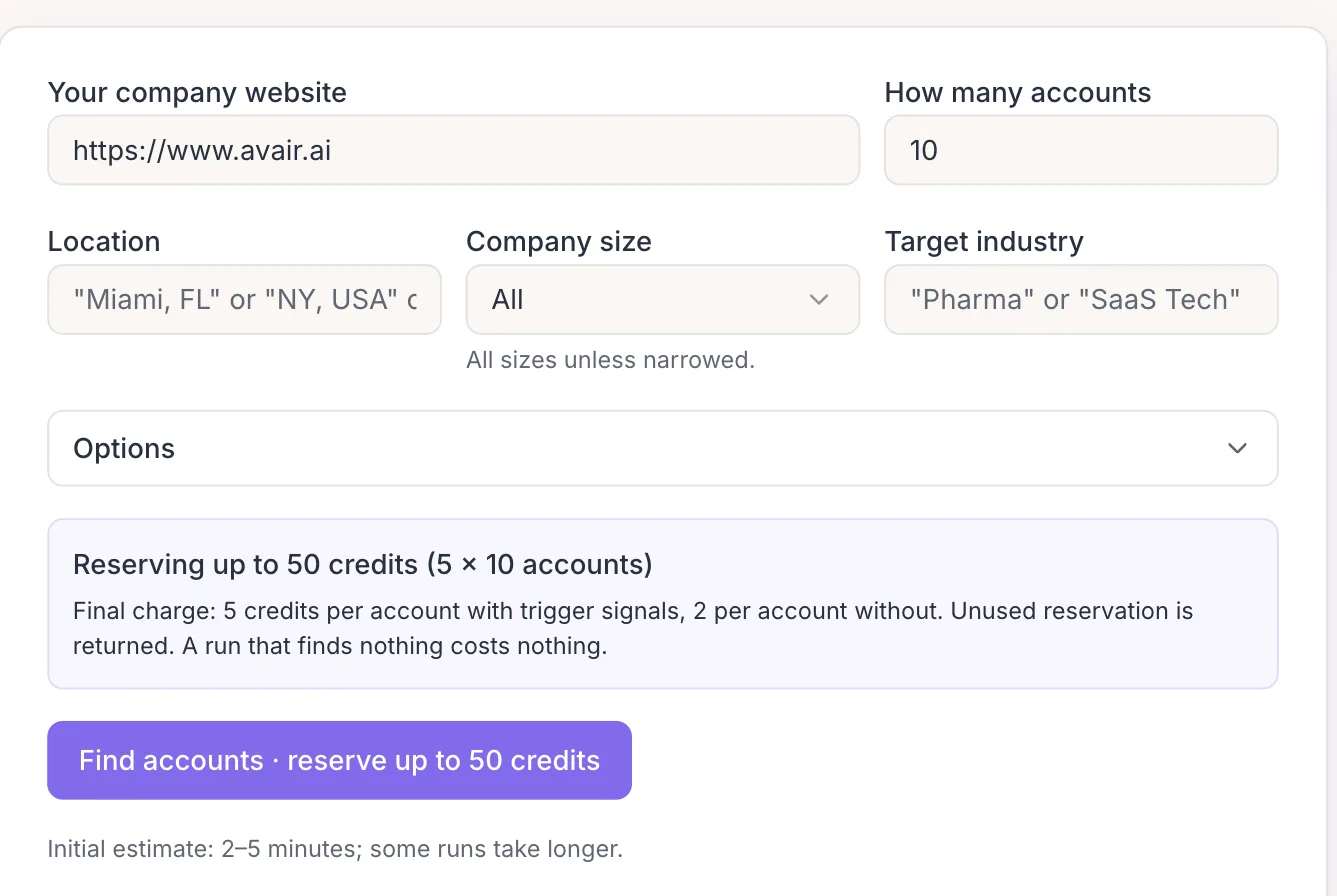
Give Find Accounts your website and your ICP. It returns accounts showing public evidence of the pain you solve, each with the Trigger Signal that surfaced it, the source and the date, plus the resolved domain, headquarters, employee band and a priority tier. It also proposes the personas and titles worth reaching at each account, so the next step is one click: hand selected accounts to Find Contacts with those titles already chosen.
Find Accounts runs on the same Pain-Signal Targeting that powers every campaign. It costs 5 credits per account with a live signal and 2 per baseline account, and nothing when a run finds no results. A run returns up to 40 accounts.
It works especially well for local small businesses. Alongside the web, Find Accounts draws on local city and state government data sources and industry-specific databases, so it surfaces the HVAC contractor, the dental group or the regional logistics firm that never shows up in a typical contact-list database.
Find Contacts: verified people at the companies you name
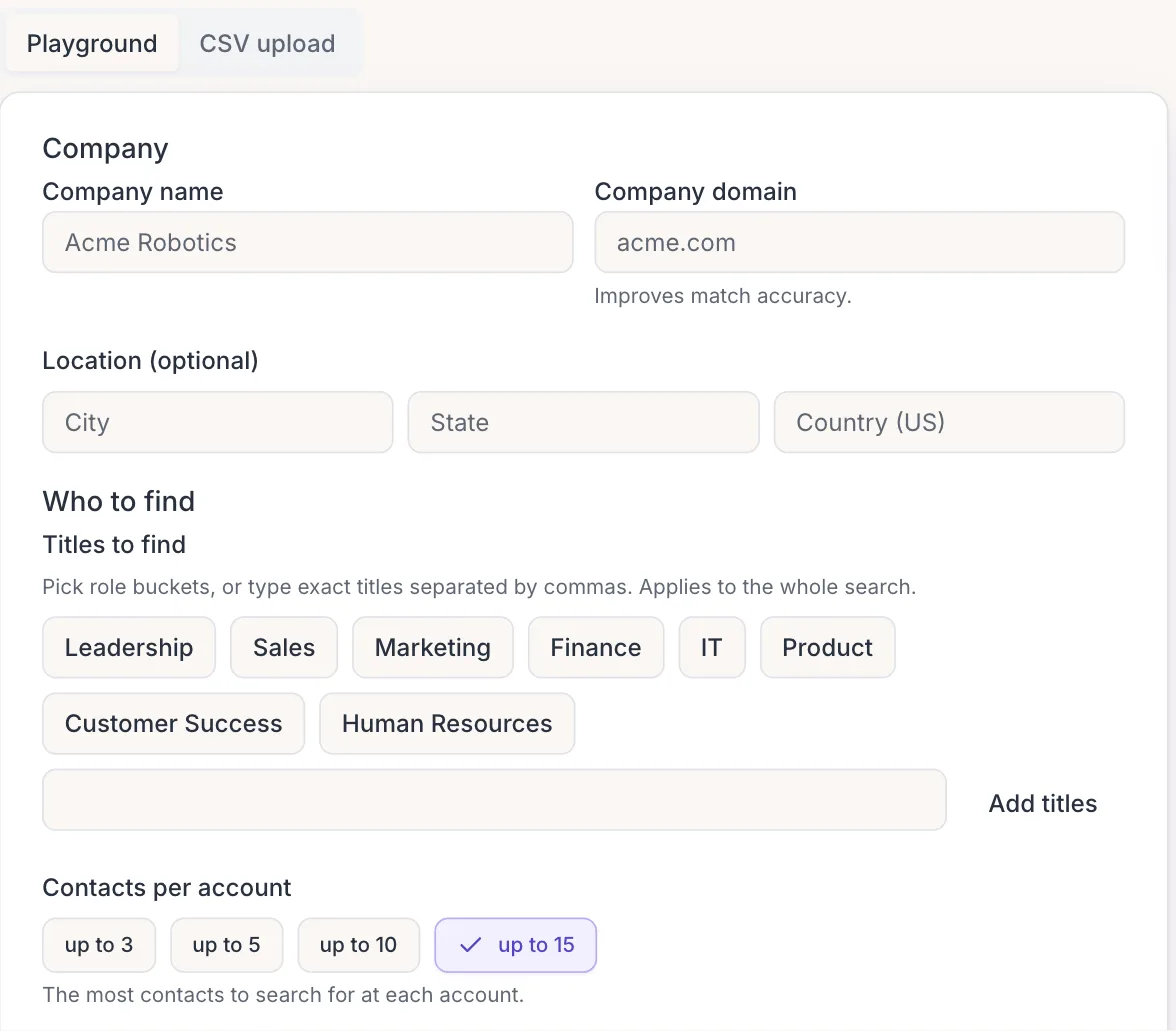
Name a company and the titles you want, or pick a role bucket (Leadership, Sales, Marketing, Finance, Product, Customer Success, Human Resources), and Find Contacts searches live and returns verified contacts. Choose how deep to go, 3, 5, 10 or 15 contacts per account. It costs 2 credits per contact returned, and an account with no match costs nothing.
On paid plans you can upload a CSV of up to 50 accounts and run them as a batch. The preview shows you what was read, what was invalid and what was a duplicate before a single credit is reserved.
Find Contacts is at its best on local small business contacts. It connects with over 300 data sources, including local city and state government records and industry-specific databases, to find the owners and managers at businesses that typical contact-list databases do not cover.
Enrich Contacts: is this record still right?
Give Enrich Contacts a name and a company. It comes back with the current employer, title, email, LinkedIn profile and phone, plus a grade for every row with a reason: verified, review recommended, confirmed wrong or could not be determined. When someone has changed jobs, the row carries a Moved badge and where they went.
Every row comes back, including the ones with nothing new to report. It costs 1 credit per contact submitted, and paid plans can batch up to 200 contacts by CSV. This is the same email and employment check that runs inside a campaign, available for any list you already own.
Phone TCPA Check: know what you are dialing
Give Phone TCPA Check a US number, or a CSV of up to 200 on paid plans. For each unique valid number it reports the line type, federal and state Do Not Call hits, whether the number matches a known TCPA litigator and known-complainer status. It costs 2 credits per unique valid number.
It reports the checks it ran. It does not issue a calling verdict. When one or more checks could not be completed, the row says so and is never shown as clear, and every export carries the note that this is not a complete compliance determination: consent and state-law obligations stay with you.
Credits, pricing and what you are never charged for
Every plan includes Tools credits each month: 300 on Professional, 1,000 on Growth, 2,000 on Concierge, pooled across your whole company. The free trial includes 50 credits. Need more? A credit pack is $20 for 200 credits, and pack credits never expire while you stay subscribed. Monthly credits are spent first, then pack credits. Another copy of your plan doubles the monthly allowance.
Before a run starts you see the reservation, and the final charge never exceeds it. Rows that were never processed are never charged, and invalid and duplicate rows cost nothing. A failure on our side or a provider's is never charged to you. The Usage page shows spend by tool and by day, who ran what and the remaining balance. Contact email addresses never appear in those summaries.
Results, history and the road to a campaign
Every run is downloadable for 30 days. After that it stays in your history with an expired marker so you can see what was done and rerun it. Tools never create a campaign and never consume campaign creates or runs.
Building a campaign straight from a tool run is on the roadmap. Today you download the file, or take what you learned into the campaign wizard.
Verified at query time
Contact Verification cuts a typical bounce rate of about 30% to under 3%. Tools apply the same live email and employment check to any list, on demand, with no campaign required.
Frequently asked questions
Do Tools use my campaign quota?
No. Tools run on a separate credit pool and never create a campaign. Your monthly campaign creates and runs are untouched.
How much does each tool cost in credits?
Find Accounts costs 5 credits per account with a live Trigger Signal and 2 per baseline account, and nothing for a run with no results. Find Contacts costs 2 credits per contact returned. Enrich Contacts costs 1 credit per contact submitted. Phone TCPA Check costs 2 credits per unique valid US number. Professional includes 300 credits a month, Growth 1,000 and Concierge 2,000, and a credit pack is $20 for 200.
Are the contacts Tools return verified?
Find Contacts searches live and returns verified contacts. Enrich Contacts returns every row with a grade (verified, review recommended, confirmed wrong or could not be determined) and a reason, so you know exactly what to trust. Both check the email and the current employer at the moment you ask rather than relying on a stored record.
What happens when a phone check cannot complete?
The row is marked "one or more checks could not be completed" and is never shown as clear. Phone TCPA Check reports the checks it ran (line type, Do Not Call hits, litigator match and complainer status) and does not issue a calling verdict. Consent and state-law obligations remain yours.
Can I upload a CSV?
Yes, on paid plans. Find Contacts takes up to 50 accounts, Enrich Contacts up to 200 contacts and Phone TCPA Check up to 200 numbers per batch. A preview shows valid, invalid and duplicate rows before any credits are reserved. Find Accounts runs from your website and ICP rather than a file.
Can I build a campaign from a tool run?
Not yet. Building a campaign directly from a tool run is on the roadmap. Today you download the results, which stay available for 30 days, or use what you learned in the campaign wizard.
Can Tools find local small businesses and their contacts?
Yes, and it is one of the things they do best. Find Accounts and Find Contacts connect with over 300 data sources, including local city and state government records and industry-specific databases, so they reach the local contractors, clinics, agencies and regional firms that typical contact-list databases miss. Find Accounts surfaces the businesses; Find Contacts returns the owners and managers at them, verified at the moment you ask.
Does AvairAI sell contact lists?
AvairAI is not a bulk-list vendor. Campaigns source their own verified contacts, and Tools find, verify and enrich contacts on demand in bounded runs charged per result. Your own uploaded contacts stay yours.